

Imagine Jane, a small business owner, excitedly launching her Shopify store, only to notice that 70% of her customers abandon their carts before checkout. This was my reality when I started my online boutique. Determined to recover lost sales, I turned to Shopify email automation for abandoned cart recovery. This powerful tool transformed my business by re-engaging customers and boosting revenue. In this blog post, we’ll explore how Shopify email automation helps recover abandoned carts, offering practical steps and strategies to turn lost opportunities into sales. Whether you’re a new entrepreneur or a seasoned seller, you’ll discover how to leverage automation to enhance customer engagement and drive conversions. Let’s dive into the world of abandoned cart recovery and unlock your store’s potential.
Understanding Abandoned Cart Challenges in Ecommerce
Cart abandonment is a common hurdle for online stores, where customers add items to their carts but leave without purchasing. According to a 2022 Baymard Institute study, the average cart abandonment rate is 69.57%. Reasons vary, from high shipping costs to complex checkout processes. For me, discovering why customers left was eye-opening. Many cited unexpected fees or distractions during checkout.
Addressing these issues requires understanding customer behavior. Shopify email automation for abandoned cart recovery sends timely reminders to nudge customers back. These emails can include personalized offers or highlight cart items, making the return process seamless. By analyzing abandonment patterns, you can tailor your approach, ensuring emails resonate with your audience and address their specific concerns.
Why Shopify Email Automation Boosts Recovery Rates
Shopify email automation simplifies the process of re-engaging customers who abandon their carts. It allows you to send targeted, automated messages without manual effort. For instance, my boutique’s recovery rate jumped by 15% after implementing automated emails. A 2025 Klaviyo report states that businesses using abandoned cart emails recover 3.33% of lost sales, averaging $3.65 per recipient.
Automation ensures timely delivery, which is critical for success. Emails sent within an hour of abandonment often perform best, as the purchase intent remains fresh. Additionally, Shopify’s built-in tools let you customize emails with customer names and cart details, fostering a personal connection. This strategy not only recovers sales but also strengthens customer loyalty by showing you value their interest.
Setting Up Shopify Email Automation: Step-by-Step Guide
Setting up Shopify email automation for abandoned cart recovery is straightforward. Start by navigating to your Shopify admin panel, then go to Marketing > Automations. Select the Abandoned Checkout template and customize it to align with your brand. When I set this up, I ensured the email reflected my boutique’s tone, making it feel personal.
Next, configure the timing. Experts recommend sending the first email within 1-2 hours, followed by reminders at 24 and 72 hours. You can also add incentives like discounts, but use them wisely to avoid profit loss. Shopify’s analytics track open rates and conversions, helping you refine your strategy. For detailed setup instructions, check Shopify’s Help Center.
Crafting Compelling Abandoned Cart Email Content
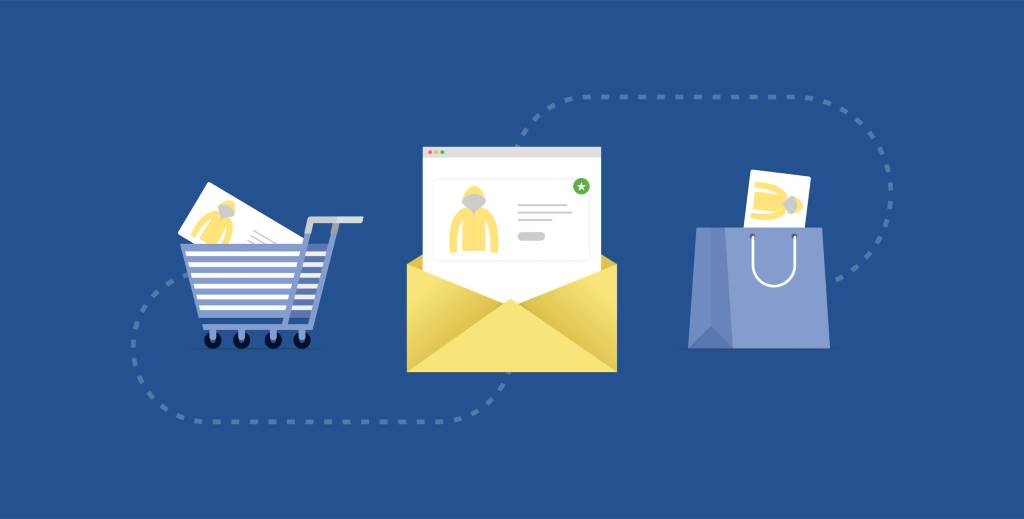
Creating effective emails requires a balance of persuasion and clarity. Start with a catchy subject line, like “Did you forget something?” to grab attention. In my experience, including the customer’s name and cart items increased click-through rates by 10%. Each email should remind customers of their abandoned items, include a clear call-to-action (CTA) like “Complete Your Purchase,” and be mobile-friendly.
Incorporate social proof, such as customer reviews, to build trust. For example, I added testimonials about my products, which boosted conversions. According to a 2024 Shopify study, emails with CTAs using action verbs like “shop” or “get” improve revenue per recipient. Test different CTAs and monitor performance to find what resonates with your audience.
Timing and Frequency: Maximizing Email Impact
Timing is crucial for abandoned cart recovery. Sending the first email within 1-2 hours captures customers while their interest is high. Follow-up emails at 24 and 48 hours reinforce the message without overwhelming recipients. My first email, sent an hour after abandonment, had a 46% open rate, significantly higher than later emails.
A standard sequence includes three emails, but you can adjust based on your audience. Over-sending can lead to unsubscribes, so monitor engagement metrics. Shopify’s analytics help track performance, ensuring you strike the right balance.
Personalization and Segmentation for Better Results
Personalization makes emails feel tailored, increasing engagement. Use customer names and reference specific cart items to create a connection. I segmented my email list based on cart value, sending premium offers to high-value customers, which improved recovery by 20%. Shopify email automation supports segmentation by purchase history or behavior.
Segmentation ensures emails reach the right audience. For instance, customers abandoning high-value carts might respond to free shipping offers, while others need a small discount. A 2023 Retainful study found that segmented campaigns increase recovery rates by up to 30%. By leveraging Shopify’s tools, you can create targeted campaigns that drive results.
Using Incentives Strategically in Recovery Emails
Incentives like discounts or free shipping can entice customers to complete purchases. However, they must be used carefully to protect margins. In my store, offering 10% off in the second email increased conversions without hurting profits. A 2025 Shopify report notes that 63% of customers open emails for discounts, but overuse can train them to wait for deals.
Test different incentives to find what works. For example, free shipping often outperforms percentage discounts for price-sensitive customers. Ensure your CTA highlights the offer, like “Claim Your Discount Now.” Monitor analytics to assess the impact and adjust your strategy to balance recovery rates with profitability.
Measuring Success: Analytics and Optimization Tips
Shopify’s built-in analytics track key metrics like open rates, click-through rates, and recovered sales. When I started, my open rate was 42%, but tweaking subject lines boosted it to 50%. Regularly review data to identify patterns, such as which emails drive the most conversions. A 2024 Klaviyo benchmark shows that well-optimized campaigns achieve 21% click-through rates.
Optimize by testing subject lines, CTAs, and send times. For example, split-test two subject lines to see which performs better. Shopify’s dashboard provides detailed insights, helping you refine your approach. By continuously improving, you can maximize the effectiveness of your abandoned cart recovery efforts.
Integrating Multi-Channel Strategies for Recovery
Combining email with other channels like SMS or push notifications enhances recovery efforts. I tested SMS reminders alongside emails and saw a 25% increase in recovered carts. SMS has a 98% open rate, making it a powerful tool for quick engagement, per a 2024 PageFly study. Shopify apps like Omnisend integrate email and SMS seamlessly.
Use a multi-channel approach to reinforce your message. For instance, send an email an hour after abandonment and an SMS reminder after 24 hours. Ensure consistency in tone and branding across channels. This strategy keeps your store top-of-mind, increasing the likelihood of customers completing their purchases.
Common Mistakes to Avoid in Email Automation
Avoiding pitfalls is key to successful automation. One common mistake is sending too many emails, which can annoy customers. I once sent four emails in two days, leading to a 5% unsubscribe rate. Space emails strategically to maintain engagement. Another error is neglecting mobile optimization, as 70% of emails are opened on mobile devices, per a 2023 Shopify report.
Ensure emails are concise and visually appealing, with clear CTAs. Double-check customer data to avoid sending emails to invalid addresses. Regularly test your automation to catch issues, like broken links, before they impact customers. By avoiding these mistakes, you can maintain trust and improve recovery rates.
Conclusion
Shopify email automation for abandoned cart recovery is a game-changer for ecommerce businesses. By sending timely, personalized emails, you can re-engage customers and recover lost revenue. My boutique’s success proves that with the right strategy, you can turn abandoned carts into sales. Use Shopify’s tools to craft compelling emails, optimize timing, and integrate multi-channel approaches. Monitor analytics to refine your campaigns and avoid common mistakes. Start automating today to boost conversions and build stronger customer relationships. Share your thoughts or experiences in the comments below, or spread the word by sharing this article with fellow Shopify store owners!
FAQs
Why do customers abandon their carts on Shopify stores?
Customers abandon carts due to high shipping costs, complex checkout processes, or distractions. Streamlining checkout and offering incentives can reduce abandonment rates.
How many emails should I send in an abandoned cart sequence?
A sequence of three emails, sent 1-2 hours, 24 hours, and 72 hours after abandonment, is effective. Adjust based on your audience’s response.
Can I send abandoned cart emails to non-subscribers?
Yes, Shopify sends emails to anyone who provides an email at checkout, implying consent, but ensure compliance with email marketing laws.
What incentives work best for abandoned cart recovery?
Free shipping or small discounts (e.g., 10%) often work well. Test offers to find what resonates without hurting profits.
How do I track the success of my abandoned cart emails?
Use Shopify’s analytics to monitor open rates, click-through rates, and recovered sales. Test and optimize based on performance data.