
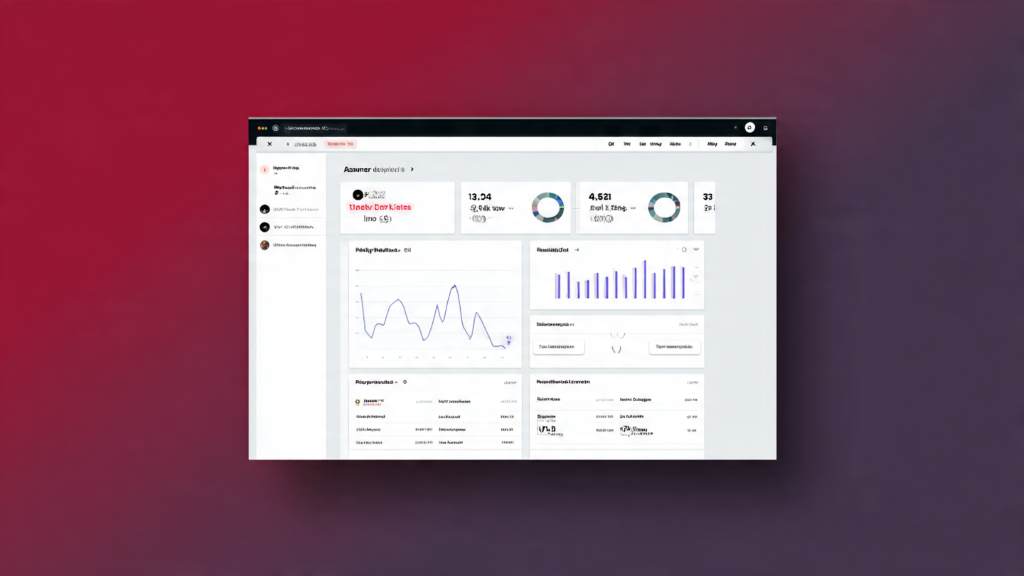
Imagine waking up to discover a broken affiliate link cost you hundreds in commissions overnight. Small site owners face this nightmare daily. Affiliate link monitor tools scan, track, and fix these issues automatically. They protect your earnings from link rot and tracking failures. According to industry data, publishers lose about $160 million monthly to dead links. Moreover, around 12% of affiliate links break regularly. For small sites, where every click counts, these tools become essential guardians. This guide explores everything you need to know.
What Are Affiliate Link Monitor Tools?
Affiliate link monitor tools help small site owners manage and track promotional links. They shorten ugly URLs, monitor clicks, and alert you to problems. For instance, they detect when a merchant changes their offer URL.
These tools go beyond basic shorteners. They provide analytics on visitor behavior. Additionally, they replace broken links site-wide. Small bloggers use them to maintain trust with readers.
However, not all tools suit tiny sites. Simple plugins work best for WordPress users. Standalone trackers fit custom setups. Overall, they save time and recover lost income.
Why Small Site Owners Need Affiliate Link Monitoring
Small sites rely heavily on affiliate revenue. One broken link can wipe out days of traffic value. Therefore, monitoring prevents silent losses. Studies show 10-14% of conversions vanish due to tracking glitches.
Moreover, affiliate marketing powers massive growth. The global industry hits $37.3 billion in 2025. In the US, it drives over $210 billion in e-commerce sales. Yet, small sites often overlook link health.
Picture Sarah, a niche blogger. She earned $2,000 monthly from reviews. Broken links stole 15% without warning. After monitoring, she reclaimed that income. Such stories repeat across sites.
Furthermore, Google favors reliable sites. Fixed links improve user experience. As a result, search rankings rise. Small owners gain a competitive edge.
Key Features to Look for in Affiliate Link Monitor Tools

Choose tools with must-have features. Broken link detection tops the list. It scans your site daily and notifies you instantly.
Click tracking reveals top performers. For example, see which links drive sales. Analytics dashboards show geo-data and device breakdowns.
Link cloaking hides merchant URLs. This builds brand trust. Additionally, auto-replacement fixes issues without manual edits.
Here are essential features in bullet points:
- Real-time alerts: Email or dashboard notifications for problems.
- A/B testing: Rotate links to find winners.
- Geo-targeting: Serve region-specific offers.
- Bulk import: Add hundreds of links quickly.
- Integrations: Works with WordPress, email tools, or analytics.
- Reporting: Export data for tax or planning.
Advanced options include fraud detection. However, basics suffice for small sites. Prioritize ease of use.
Top 7 Affiliate Link Monitor Tools for Small Sites
Small sites thrive with lightweight tools. We selected these based on ease, features, and user feedback. Each fits budgets and scales gently.
ThirstyAffiliates
ThirstyAffiliates shines for WordPress users. It cloaks links and tracks clicks precisely. Moreover, it auto-inserts links into posts.
Users love its broken link checker. It scans daily and suggests fixes. Geo-steering serves local deals. For example, a travel blogger routes EU visitors to compliant offers.
Setup takes minutes. Additionally, it supports A/B tests. Small sites report 20% revenue lifts. Perfect for content-heavy niches.
Pretty Links
Pretty Links offers simple power. This WordPress plugin shortens and tracks effortlessly. It prioritizes high-converting links in scans.
Broken link monitoring runs automatically. Alerts arrive via email. Furthermore, it handles redirects smoothly.
Bloggers praise its speed. No bloat slows your site. For instance, a recipe site fixed 50 broken links in one click. Earnings jumped immediately.
In addition, bulk editing saves hours. Ideal for growing small sites.
Tasty Links
Tasty Links delivers advanced analytics. It monitors link performance per page. Heatmaps show click hotspots.
Broken link detection integrates deeply. It replaces links site-wide. Moreover, auto-optimization boosts conversions.
A fitness blogger used it to identify underperformers. Swapping them increased clicks by 30%. Small owners appreciate one-click imports.
Additionally, it supports custom fields. Track UTM parameters easily.
Linkly
Linkly works outside WordPress. It creates branded short links. Tracking includes real-time stats.
Uptime monitoring catches breaks fast. Smart redirects maintain flow. For example, if a link dies, it notifies and pauses traffic.
Users highlight its QR code generator. Great for social promo. Small e-commerce sites love API access.
Furthermore, team collaboration fits solopreneurs expanding.
Affilimate
Affilimate consolidates network data. It tracks commissions across programs. Content analytics reveal top pages.
Link monitoring flags issues early. Moreover, it suggests optimizations. A niche reviewer doubled article earnings.
For small sites, its dashboard unifies chaos. Import links bulk. Additionally, trend reports guide content.
Users call it a game-changer for multi-network affiliates.
WeCanTrack
WeCanTrack pulls data from 100+ networks. It monitors conversions accurately. No more manual spreadsheets.
Broken link alerts come via API checks. Furthermore, attribution reports clarify sources.
A coupon site recovered 12% lost revenue. Small teams value its clean interface. Custom dashboards fit any workflow.
In addition, it handles multi-currency seamlessly.
AffJet
AffJet focuses on performance insights. It scans networks for trends. Link health checks prevent drops.
Dashboard shows earners vs. losers. For example, a gadget blogger cut weak links. Income rose 25%.
Small Amazon affiliates adore it. Bulk tracking simplifies management. Moreover, export tools aid planning.
How to Choose the Right Affiliate Link Monitor Tool
Start with your platform. WordPress? Pick plugins like ThirstyAffiliates. Custom site? Try Linkly.
Assess link volume. Under 500? Basic tools work. More? Choose scalable ones.
Test integrations. Does it connect to your analytics? Moreover, check mobile apps for on-the-go checks.
Read user reviews. Focus on small site experiences. Finally, trial periods help decide.
Here is a quick comparison table:
| Tool | Best For | Broken Link Check | Click Analytics | WP Plugin |
| ThirstyAffiliates | Content Sites | Yes | Advanced | Yes |
| Pretty Links | Beginners | Yes | Basic | Yes |
| Tasty Links | Analytics Lovers | Yes | Deep | Yes |
| Linkly | Non-WP | Yes | Real-time | No |
| Affilimate | Multi-Networks | Yes | Content-Focused | No |
| WeCanTrack | Data Consolidation | Yes | Attribution | No |
| AffJet | Amazon Focus | Yes | Trends | No |
Step-by-Step Guide to Setting Up Link Monitoring
Begin with installation. For plugins, upload via WordPress dashboard.
Next, import links. Use CSV for bulk. Map old to new URLs.
Configure scans. Set daily checks. Enable email alerts.
Test thoroughly. Click each link manually. Monitor dashboard for issues.
Optimize ongoing. Review weekly reports. Swap low performers.
Here are numbered steps:
- Install and activate the tool.
- Add your affiliate links.
- Set up cloaking and redirects.
- Enable monitoring and alerts.
- Integrate with analytics.
- Run initial scan and fix breaks.
- Track performance weekly.
This process takes under an hour. Results appear fast.
Real-World Examples: Boosting Revenue with Monitoring
Consider Mike’s pet blog. Broken links cost $300 monthly. ThirstyAffiliates fixed them overnight. Revenue climbed 18%.
Similarly, Lisa’s fashion site used Tasty Links. Heatmaps revealed poor placements. Adjustments added $1,200 yearly.
Affilimate helped Tom consolidate networks. He spotted a dying program early. Switching saved thousands.
These cases show real impact. Small changes yield big gains.
Advanced Strategies to Maximize Affiliate Earnings
Run A/B tests regularly. Alternate links on high-traffic pages.
Use geo-targeting. Direct US visitors to Amazon, others to alternatives.
Automate replacements. Tools like Pretty Links handle merchant changes.
Combine with content updates. Refresh old posts with monitored links.
Track seasonality. Boost holiday performers.
Moreover, analyze drop-offs. Fix user friction points.
Conclusion
Affiliate link monitor tools transform small sites. They catch breaks, track clicks, and optimize earnings. Choose from ThirstyAffiliates, Pretty Links, or others based on needs.
Start today. Pick one tool, set it up, and watch revenue grow. Your site deserves protection. Act now for steady income.
FAQs
What Is the Best Free Affiliate Link Monitor Tool for Small Sites?
Pretty Links offers a strong free version. It handles cloaking and basic tracking. Upgrade for advanced features later.
How Often Should You Check Affiliate Links?
Daily scans work best. Tools automate this. Manual reviews suit weekly deep dives.
Can These Tools Slow Down My Site?
Quality plugins like ThirstyAffiliates add minimal load. Test speed after install.
Do They Work with Multiple Affiliate Networks?
Yes. Affilimate and WeCanTrack excel here. They unify data seamlessly.
How Do I Fix a Broken Affiliate Link Quickly?
Use auto-replace in your tool. Update the destination URL. Test immediately.
References
- https://trackonomics.net/link-scanner/
- https://www.emarketer.com/content/affiliate-marketing-2025
- https://affiliatestatistics.marketing/
- https://www.scaleo.io/blog/best-25-free-affiliate-tracking-software/