
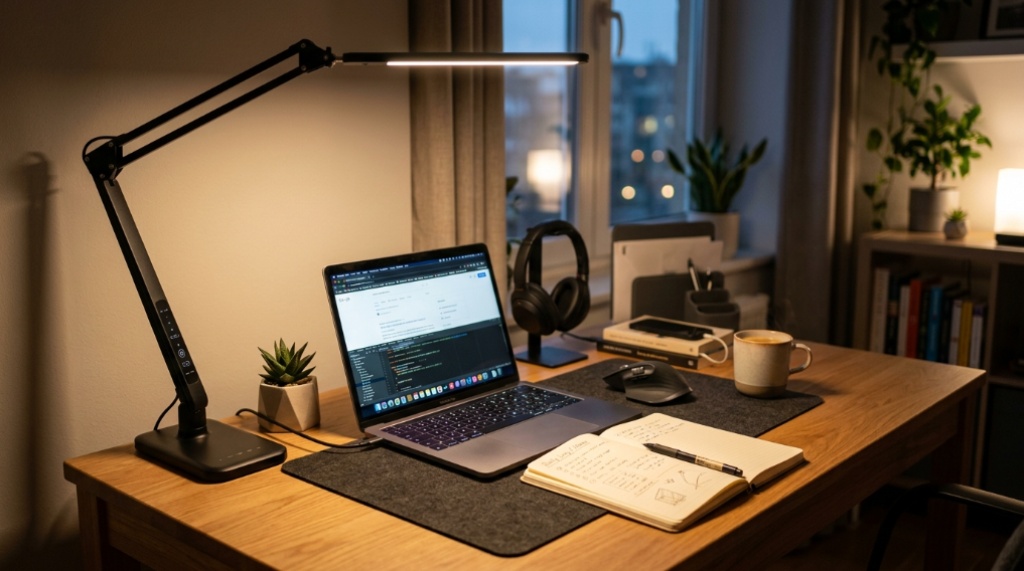
It is late afternoon, the overhead light is behind you, and your hand casts a shadow across the exact line you are trying to read. That single frustration explains why task lighting matters more than most home office upgrades. A good LED task lamp puts light where your work actually is, reduces eye strain, and can be repositioned as your setup changes. If you want to explore Addtam LED lighting solutions as one starting point, the real question is what to compare before buying anything. This guide covers the factors that separate a genuinely useful desk light from one that just looks good in photos.
Quick Answer
The most important considerations for LED task lighting are color temperature (roughly 3000K–5000K for most desk work), brightness with dimming, a high color rendering index, glare control, and a mounting method that fits your desk. Positioning matters as much as the lamp itself: place it to the side of your dominant hand, slightly forward, so your hand does not shadow the page. A clamp or free-standing design should match your desk edge and stability needs.
Key Takeaways
- Color temperature and brightness matter more than raw wattage; adjustable settings cover more tasks across the day.
- A high CRI makes colors and text look accurate, which reduces visual fatigue during long sessions.
- Glare is the most common complaint with inexpensive LED lamps; diffusers and proper positioning solve most of it.
- Mounting style (clamp, base, or integrated) should be chosen around your desk, not the other way around.
- Position the light to the side of your dominant hand to avoid casting shadows on your work.
Why Task Lighting Beats One Big Overhead Light
Overhead lighting was designed to illuminate a room, not a specific task. It lights the top of your head, the floor, and the walls while often leaving your keyboard and paperwork in your own shadow. Task lighting solves this by placing the light source close to the work surface and directing it downward or at an angle. This means you can use lower overall room brightness, which reduces the contrast between a bright screen and a dark surrounding area — a common cause of evening eye discomfort. The practical result is that a modest, well-placed task lamp often does more for comfort than adding another ceiling fixture.
Color Temperature: The Setting Most People Ignore
Color temperature is measured in Kelvin (K) and describes how warm or cool the light looks. It affects alertness and comfort more than many buyers expect.
- 2700K–3000K (warm): Relaxed, evening-friendly, but can feel dim for detailed work.
- 3500K–4000K (neutral): A balanced middle ground suitable for most desk tasks.
- 5000K–6500K (cool/daylight): Crisp and alerting, but prolonged use late in the day can feel harsh or disrupt sleep.
For a home office used across the day, adjustable color temperature is genuinely useful: cooler light for focused morning work, warmer light in the evening. If you choose a fixed temperature, 4000K is a reasonable compromise for mixed tasks.
Brightness, Dimming, and Why Lumens Matter More Than Watts
Watts measure power consumption, not light output. Lumens measure brightness. Two lamps with the same wattage can produce very different amounts of light. For desk work, a task lamp typically provides somewhere in the range of a few hundred to around a thousand lumens, depending on distance and task. Rather than chasing a specific number, look for:
- Dimming range: Stepless dimming (rather than a few fixed steps) gives finer control.
- Memory function: Remembers your preferred brightness and color settings between sessions.
- Adjustability: Enough brightness for reading paper and enough restraint for screen-only work.
A lamp that is too bright creates glare and washes out contrast; one that is too dim forces you to lean in. Dimming is how you find the middle.
CRI, Flicker, and Blue Light: The Technical Details That Affect Comfort
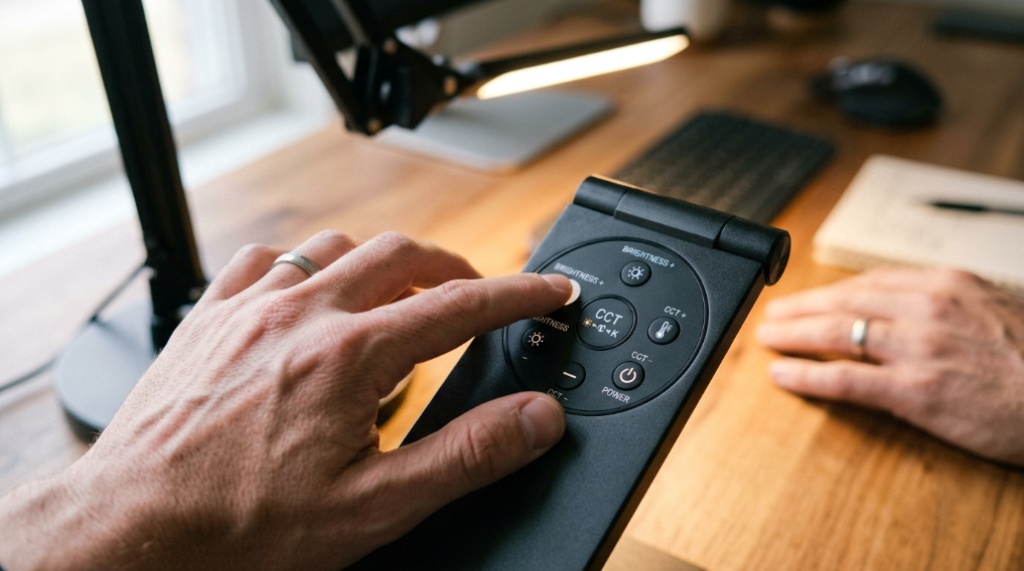
These three factors rarely appear on marketing pages, yet they influence how your eyes feel after a long day.
Color Rendering Index (CRI)
CRI describes how accurately a light source shows colors compared with natural light, on a scale up to 100. For a home office, a CRI of 90 or higher is a good target. Low-CRI lighting can make printed materials, color-coded notes, or design work look dull or inaccurate, and it subtly increases the effort your eyes make to interpret what they see.
Flicker
Some inexpensive LED drivers flicker at frequencies you may not consciously notice but that can still cause headaches or eye strain in sensitive people. Flicker-free drivers or high-frequency operation reduce this risk. If you notice banding when filming the lamp with a phone camera, the flicker is likely significant.
Blue Light
Cooler color temperatures contain more blue light. This is not automatically harmful, but using very cool light late in the evening may interfere with sleep for some people. A warm or neutral setting at night is a simple, practical habit.
Glare, Reflections, and Screen Work
Glare is the single most common reason people abandon a desk lamp. It comes from a bright light source or its reflection on a glossy surface. Three practical countermeasures:
- Choose a diffused light source. A wide panel or diffuser spreads light instead of concentrating it into a harsh point.
- Position the lamp off-axis. Place it to the side, angled toward the work, rather than directly in front of you or behind the screen.
- Consider a light bar or asymmetric design. These direct light downward onto the desk and away from the monitor, which reduces screen reflections.
If your monitor has a glossy finish, glare control matters even more. Matte screens are more forgiving, but no screen handles a poorly placed lamp well.
Clamp, Base, or Integrated: Choosing the Right Mounting
Mounting is where a lamp either fits your life or becomes a daily annoyance. The three common options have distinct trade-offs.
| Mounting Type | Best For | Main Advantage | Main Limitation |
|---|---|---|---|
| Clamp | Small or crowded desks | Saves surface space; repositions easily | Requires a suitable desk edge thickness |
| Weighted base | Large desks; shared surfaces | No edge requirement; easy to move | Consumes desk space; can tip if bumped |
| Integrated (bar or arm) | Clean, permanent setups | Minimal clutter; often better glare control | Less flexible repositioning |
Before buying, measure your desk thickness and the amount of clear space you can spare. A clamp lamp is often the better choice for compact setups, provided your desk edge accommodates the clamp and the surface is stable enough not to flex. Free-standing designs suit desks where clamping is impractical or where you want to move the light between positions.
Placement Rules That Actually Work
A well-chosen lamp can still perform poorly if it is positioned badly. Use these guidelines:
- Place the lamp on the opposite side from your dominant hand so your hand does not shadow the page.
- Position the light slightly forward of your work, angled downward rather than straight across.
- Keep the light source below eye level and outside your direct line of sight to reduce glare.
- For screen work, aim the light at the desk, not at the monitor.
- Match task light brightness to the surrounding room to avoid harsh contrast.
Where LED Task Lighting Fits in a Small Space
Small home offices, rented rooms, and shared living spaces often have one thing in common: they cannot support a large, permanent lighting overhaul. In these settings, a compact LED task lamp with a clamp or slim base provides focused light without consuming desk space or requiring installation. The flexibility to reposition the lamp — or to move it between a desk and a reading chair — often matters more than any single specification. If portability and a no-clamp footprint are priorities for your layout, it is worth checking options designed around those constraints rather than defaulting to a traditional weighted-base lamp, Proper lighting reduces eye strain, but your physical comfort doesn’t stop at the desk lamp—make sure your seating matches your productivity needs by learning Pick the Best Chair for Office Workers.
Common Mistakes to Avoid
- Buying on brightness alone. Too much light without dimming or diffusion creates glare and fatigue.
- Ignoring color temperature. A single harsh temperature rarely suits both morning focus and evening reading.
- Positioning the lamp centrally. This casts your own hand shadow across the page.
- Overlooking the desk edge. A clamp lamp that does not fit your desk is unusable, regardless of quality.
- Choosing aesthetics over adjustability. A lamp that cannot be repositioned will frustrate you within weeks.
Frequently Asked Questions
What color temperature is best for a home office desk lamp?
Around 4000K is a practical default for mixed tasks. If you work late in the evening, a warmer setting near 3000K is gentler. Adjustable color temperature gives the most flexibility across the day.
Is higher lumens always better for task lighting?
No. Excessive brightness causes glare and washes out contrast. What matters is having enough light for your task plus the ability to dim it for screen work and evening use.
Do I need a high CRI for a desk lamp?
For reading and writing, moderate CRI is usually acceptable. If you work with color, printed materials, or design, a CRI of 90 or higher helps colors look accurate and reduces visual effort.
Where should I place a desk lamp to avoid shadows?
Place it on the opposite side from your dominant hand, slightly forward of your work, angled down toward the desk. Keep the light source below eye level and out of your direct line of sight.
Is an LED desk lamp better than an incandescent one?
For task lighting, generally yes. LEDs run cooler, use less energy, last longer, and are widely available with dimming and adjustable color temperature. Incandescent lamps produce more heat and offer limited control.
Can a clamp lamp damage my desk?
Most clamps include padding to protect the surface. The main risks are over-tightening on soft wood or flexing on thin or hollow-core desks, so check the clamp and desk thickness before use.
Conclusion
Good LED task lighting comes down to matching a few practical factors to your actual workspace: adjustable color temperature, dimmable brightness, a high CRI, glare control, and a mounting style that fits your desk. Position the lamp to the side of your dominant hand so your work stays shadow-free. Before buying, measure your desk edge and decide whether a clamp or free-standing design suits your layout. Get those basics right, and even a modest lamp will outperform a more expensive one that is poorly placed.